Product Design / Design Systems · Company: Darden
Darden Design System [ Multi Brand ]
2024–2025

About Darden
Darden is a fortune 500 company. They own 11+ restaurants in the US. Most of them are high end fine-dining restaurants and a few QSR’s.
The Problem
They had a problem. They acquired so many brands and they had a website+mobile app (IOS & Android) for ordering food from the restaurants they own. So that was 11 websites and 22 mobile apps (If u separate (Android and IOS).
They were designing and developing for all of them separately even though all of them had one unified backend but total 33 different frontends (11 websites + 22Apps (IOS & Android)
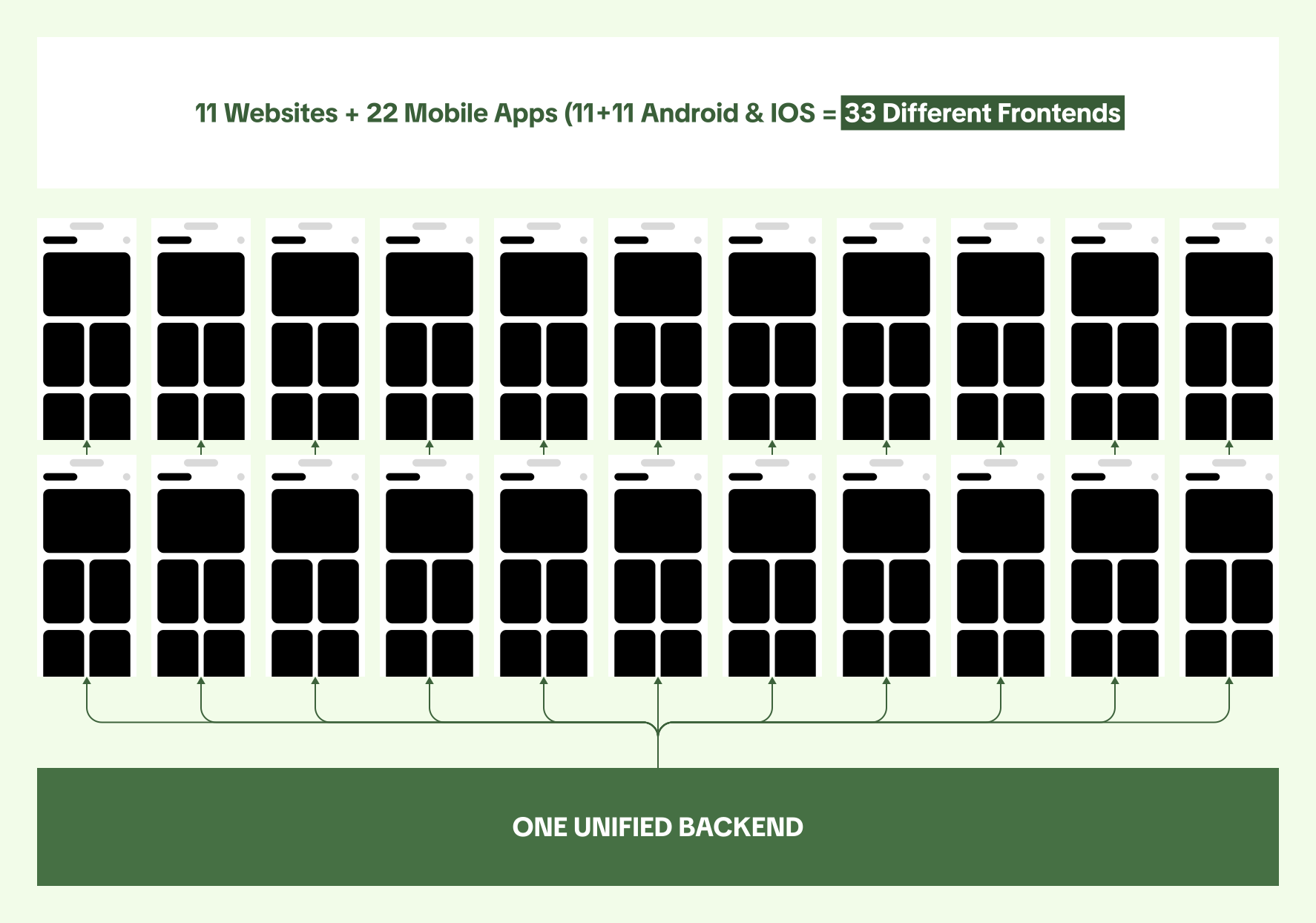
One key thing was though Brand Assets, color, typography were different they all has the same UI.
This was a massive tech & design debt for the company as they were designing 33 Diff times and developing 33 different times for the same page. Again and again.
The Ask
The ask from them to us was simple. 1 Design system for all brands. Design only for 1 brand and use it for all other brands (A Multi Brand Design System). They also wanted the Web Mobile – Android & IOS App UI to be exactly the same. Hence no more effectily going down from 33 different design & dev cycles to just 1. As web mobile would translate to mobile app and android and IOS would no longer have diff UI but everything under 1 system.
We understood the above from them. Their major goal here is to eliminate tech & design debt. Reduce the cost of design and development. We started working on it.
The Audit
To begin with we did an audit of all the websites and apps with there respective brand identities and design patterns and components were going to build.
The list was pretty long and we noticed that most brands did not even have the correct color codes for brands primary color being used. So many mixed paddings a damaged font file diff types of icons (filled, outline, curved etc etc) it was a complete and utter mess.
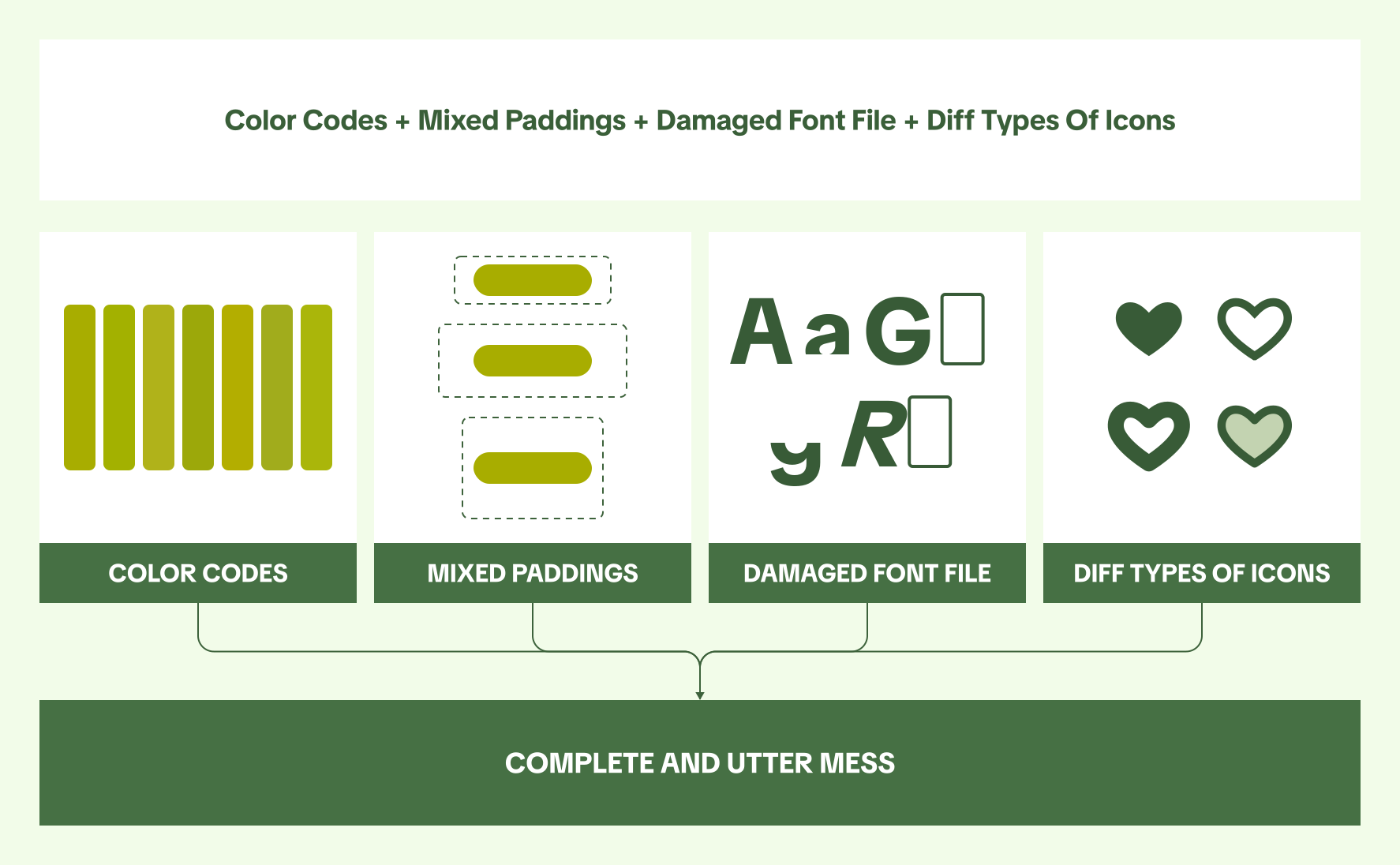
Once these were presented to Darden team they were quite shocked, devs on the other had not so much as they had valid reason for all this.
It was decided that we would put a one time effort to re-build the design system from scratch in both design and development.
The Build
Web Brand Guide
We started with building a web brand guide. This only had color’s typography info logos needed for the design system.


Token Architecture
Once this was ready we started work on the Token Architecture. I pitched 2 diff ways we can do this.
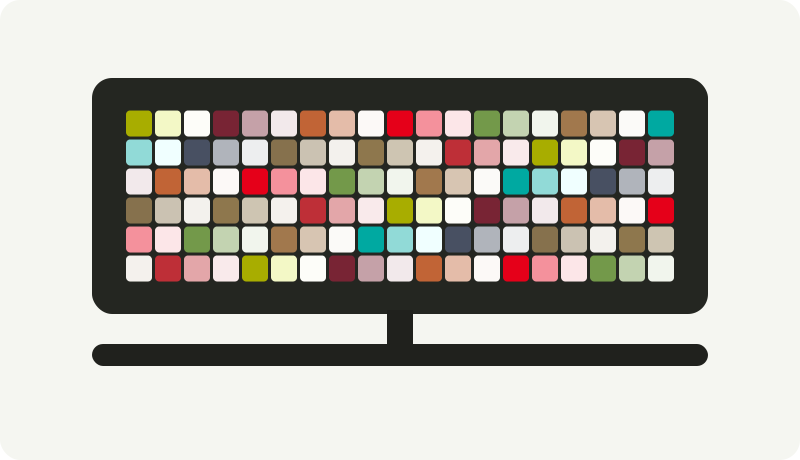
A monolith token architecture (A simpler approach faster to build)
A extremely structured one (extreme control over each component via tokens)
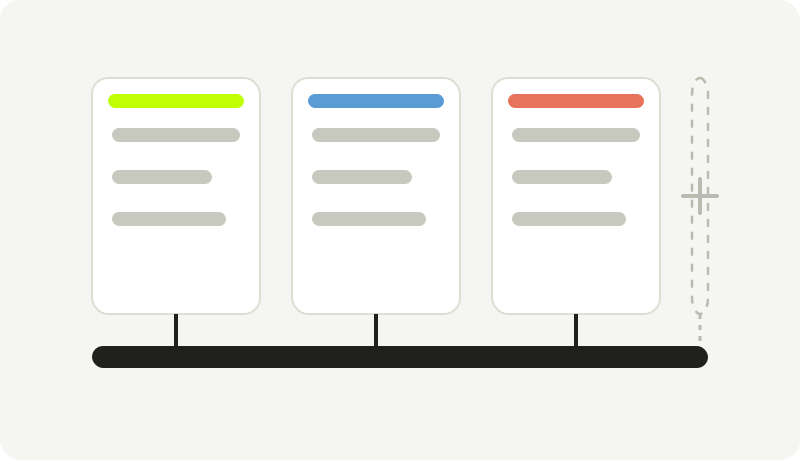
Darden team went for the structured approach as they were fine with 1 time effort to fix this mess & this also allowed to have room for as many new brands as needed. There literally is no limit here.
Once structured was picked, the next question was naming. Every token needed to say exactly what it themed just by being read, not just what it looked like, so we landed on a strict six-part taxonomy: system, component, category, variant, class, and state, always in that order.
Process
The approach combined a token-first architecture with Atomic Design principles, built in a specific order: breakpoints and grid first, then spacing, then typography and color brand by brand, then components, then documentation.
Why This Approach?
Cost, not craft, got it approved.
Development was owned by a separate agency, billing hourly, per brand. A shared system meant real savings for Darden but a smaller footprint for that vendor, so the pitch was built entirely around projected cost savings, brand after brand, once one token system and one component library could serve all of them.
Tokens before components, always.
Before any component got built, we drew a hard line between three kinds of properties most systems lump together: State (hover, pressed, focus, driven by interaction), Validation (error, success, driven by data), and Boolean (disabled, read-only, a different role entirely). Getting that distinction right early kept every component’s variant structure predictable at scale.
Group brands by similarity, not flatten them.
Eleven independent brand themes would have meant eleven copies of every spacing and radius decision. Grouping them into three shared kits meant most values are shared, and only the ones that need to diverge per brand are tracked as real exceptions.
The DDS Design System
Foundations, kits, components, and documentation, in that order, made up the system.
Foundations
Colors
Primary and secondary hue ramps from 50 through 900, plus a small brand-specific accent group, and two shared groups every brand draws from, Neutrals and System (danger, warning, success, info). A one-page Brand Guide per brand (typography sample, color swatches with hex values, logo lockups) became the canonical reference, replacing the 10-shades-of-green problem with one signed-off palette per brand.
Typography
A 12-step primitive size scale from 8px to 40px, mapped onto a 19-style named scale per brand, Display (L, M, S), Heading (xl through xs), Label (xl through xxs), Caption (lg, md, sm), Link (md, sm), each style carrying its own family, size, weight, and line-height, split by desktop and mobile.
Icons
Drawn once at 24px and scaled through tokens, never redrawn per size or breakpoint.
Corner Radius
Reuses the spacing scale directly rather than a separate ramp; one brand kit sets every radius to zero as a deliberate square-corner choice.
Spacing
A flat 0 to 80 primitive ramp, broken out per component, per size, and per breakpoint, with brand-level exceptions tracked explicitly where needed.
Motion
Deliberately minimal, this was an ordering platform, not a showcase site.
Elevation
Reserved for modals and popovers only, to keep the UI flat and fast.


Breakpoints
Four breakpoints, each with its own margin and gutter values, not a rough Small/Medium/Large label.

Components: Atoms, Molecules, Organisms
The rule was function: does this piece do anything on its own? An icon alone is an atom. A menu card, image, price, and button combined, is a molecule: it portrays a purpose but isn’t a complete user goal on its own. A full menu listing page is an organism: it has one specific purpose, ordering.
Atoms
Typography, Buttons, Icons, Brand Logos.
Molecules
Menu Card, Input Components, Dropdown, Tabs Bar, Menu Bar, Dialog, Toasts & Alerts, Card CTA, Tool Tip.
Organisms
Header & Footer, Menu Listing.
The molecule list matches the token groups in the color and spacing collections exactly, components and tokens were designed as one system, not two. On the Button component itself, Collection, Device, Type, and Size decide brand and layout; State (Default, Hover, Pressed, Loading, Focus, Disabled) is driven by interaction; and a separate set of booleans, Price Tag, Icon Only, Icon Before, Icon After, controls content.
Anatomy: Mandatory, Optional, and the Slot
Every component in the library got the same documentation treatment. Dialog is the clearest one to walk through because it has the most moving parts, but the same pages exist for each one.
It opens with an anatomy diagram doing exactly one job: marking every part of the component mandatory or optional, for desktop and responsive, across all three layouts. The dialog splits into three containers. The Header Container is optional; the Content Container and Button Container are mandatory. Inside them the rules get more specific: the heading is mandatory once a header exists, the close button is optional, the title is optional depending on the content, the icon is optional, the content slot is mandatory, the primary CTA is mandatory, and the secondary and tertiary CTAs are optional. The With Image layout adds a nuance worth calling out, in that the image container is optional, but if it is used, the image inside it is mandatory.

That single distinction carries a lot of weight. A designer picking up the component does not have to guess which parts can be removed, and a developer reading the same page knows precisely which elements need to be conditional in code.
The Slot System
The content container holds a slot, and that slot is the one genuinely open part of the dialog. Everything around it stays locked by the component: the header, the dismiss behavior, the button dock and its ordering, the spacing, the corner radius. Only what goes inside is swappable.
In Figma the slot is an instance-swap property, so changing a dialog’s content means picking a different instance from a dropdown, never detaching the component and rebuilding it. The slot is scoped by both brand kit and breakpoint: the property reads “Slot C1 Desktop”, and its templates are named Text/C1/Desktop, Gift Card/C1/Desktop, and so on. Swapping content therefore cannot quietly break brand theming or the responsive layout, because the only instances offered are the ones already correct for that kit and that breakpoint.

Four premade templates shipped with the component: Text, Gift Card, Confirm Pickup Details, and Choose Order Type. Each is documented with the exact dialog configuration it expects, property by property. Gift Card is specified as Layout: With Header, Close Button: True, Title: False, Secondary CTA: False, Tertiary CTA: True. Choose Order Type carries an extra rule, that its primary CTA must be set to fill the container.

This is also where governance sits. Anything beyond the four premade templates means getting in touch with the design system team first, which is what kept the library from drifting the way Product-Centric had, one page cloned at a time.
Handoff: Documentation as Part of the System
Dev handoff used EightShapes Specs, an established Figma plugin for annotated redline documentation, applied component by component. Each component’s documentation follows the same shape: the anatomy diagram, usage examples grouped by category (alerts, errors, decisions, confirmations, acknowledgements, input), Do and Don’t pairs with actual reasoning, behavior rules, and pixel-exact specs per layout per breakpoint.
The Dialog specs redline all three layouts on both breakpoints: a desktop container that maxes at 592px and floors at 375px, height variable to content, a 64x64 icon, an 8px corner radius, 24px outer padding, a flex gap holding the secondary and tertiary buttons apart, and an explicit note that content slot spacing changes depending on which slot is used. Each of the four slot templates then gets its own redline page on top of that, dimensioned as subject to the parent dialog.

That level of detail mattered more here than it usually would. The development agency knew component libraries but had never built a design system, so a page stating the container width, the fill behavior, the button order, and which parts are conditional removed the guesswork that would otherwise have come back as eleven slightly different dialogs. Documented behavior covered the rest: when an “X” is appropriate versus when a dialog has to force an explicit choice, primary on the extreme right on desktop but at the top on mobile, and never stacking one dialog on top of another.
Results & Impact
Foundation timeline, from the project’s own change log:
Beyond the numbers: a development team with no prior design-system experience was able to build against a concrete Figma theme library and theme-folder architecture instead of an abstract spec, and the real, quantifiable savings on the hourly per-brand development spend were the exact argument that got six months approved in the first place.